replumi.
Reviewer support
replumi.
Reviewer support
Shopify app review · CSV import follow-up
Supplier price-list import verification.
The reviewer’s CSV belongs in supplier catalog imports. This page explains the corrected guidance, the column-mapping guard and the steps to test the same file with products in your Shopify store.
Live CSV imports verified
Both CSV tests completed in Replumi embedded inside Shopify Admin on the Replumi Development test store on October 13, 2026. The catalog reports showed all reviewed rows matched, with none unmatched or ignored. Tested app release: 3a94ccc.
- Generated template
- 1 row imported · 1 new offer
/ 22:14:16 UTC - Reviewer sample file
- 2 rows imported · 1 new offer, 1 price decrease
/ 22:16:49 UTC
What caused the reviewer’s error
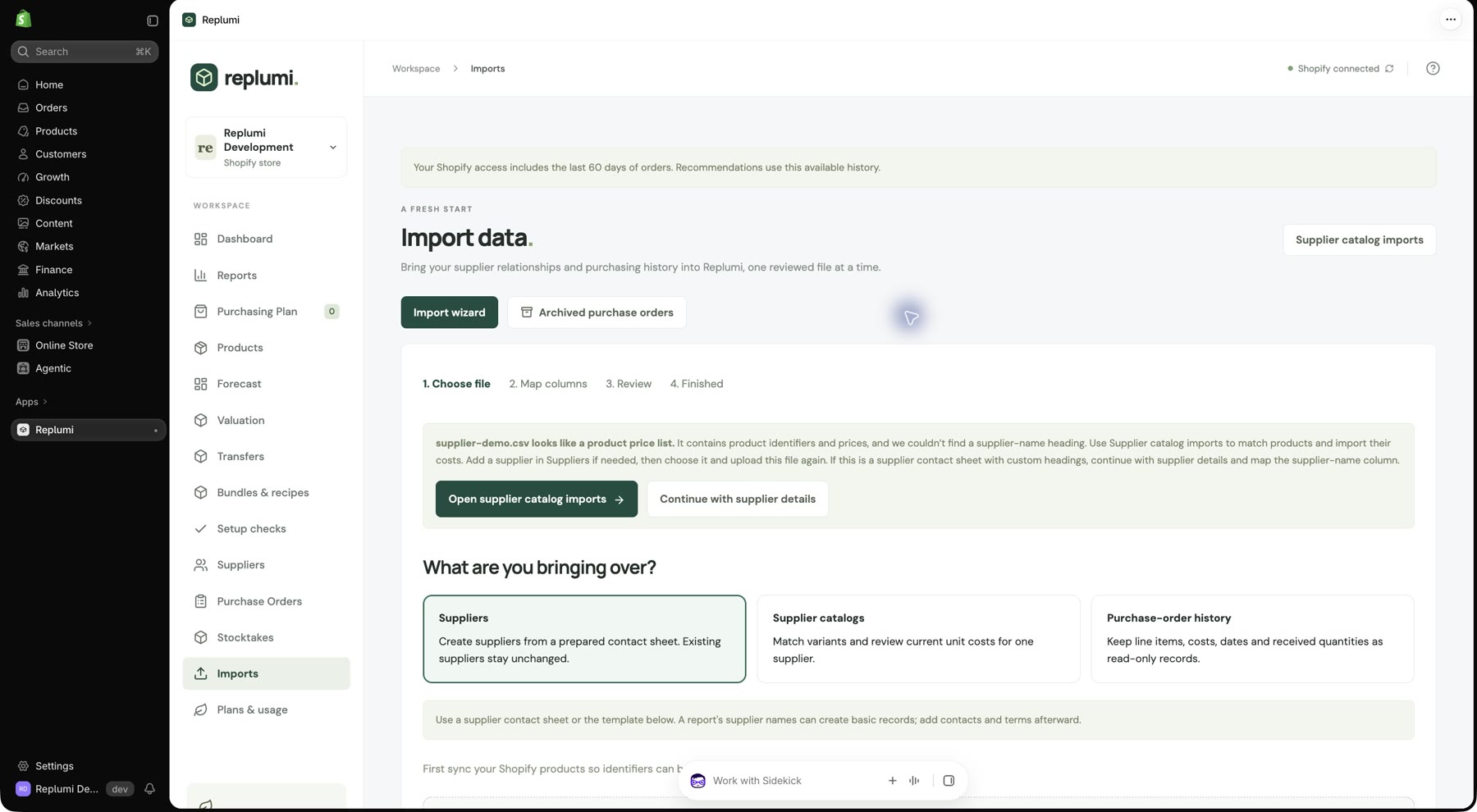
The review attempt uploaded supplier-demo.csv under Import data → Suppliers. That view imports supplier names and contact details. The sample file contains product codes, descriptions and wholesale prices, so mapping it as supplier contact data led to the reported column-mapping error.
The file now receives a “looks like a product price list” notice in that view, with an Open supplier catalog imports button. The notice explains that you should add a supplier if needed, select that supplier and upload the file again in the catalog importer.
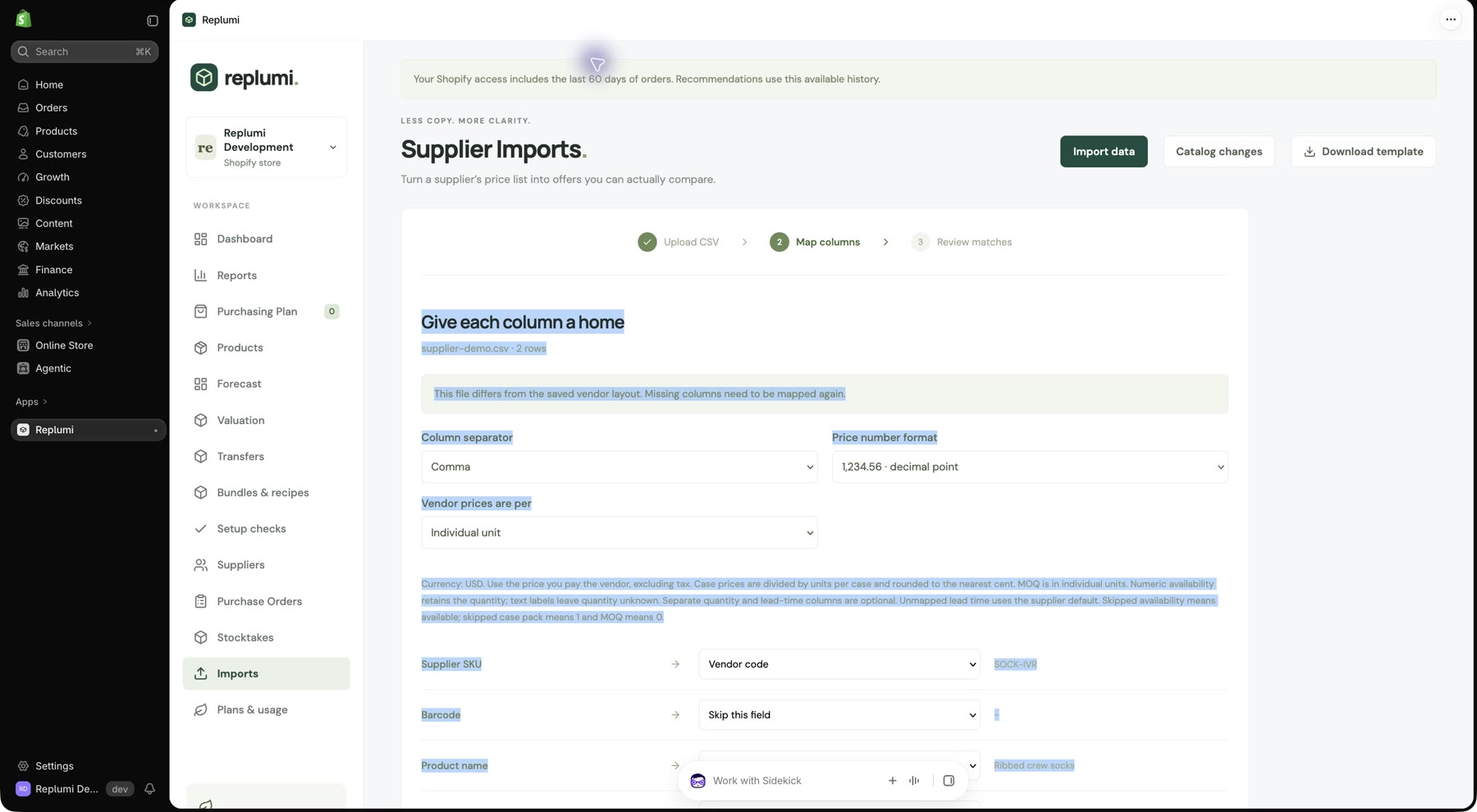
In Import data, a source column already assigned to one field is disabled in the other field lists and labelled with its current use. Any remaining duplicate mapping stops preview with a message naming both fields. Optional fields can stay Not in this file.
Start with your store’s template
- Open Replumi inside Shopify Admin and wait for the product sync to finish. In Suppliers, add a test supplier or choose an existing test supplier.
- Open Imports. If you are in Import data, click Supplier catalog imports. Click Download template, then click the prepared Download supplier-price-list-template.csv link to save the file. It includes a price-list row using your first synced product’s identifiers. Select the supplier and upload that saved file.
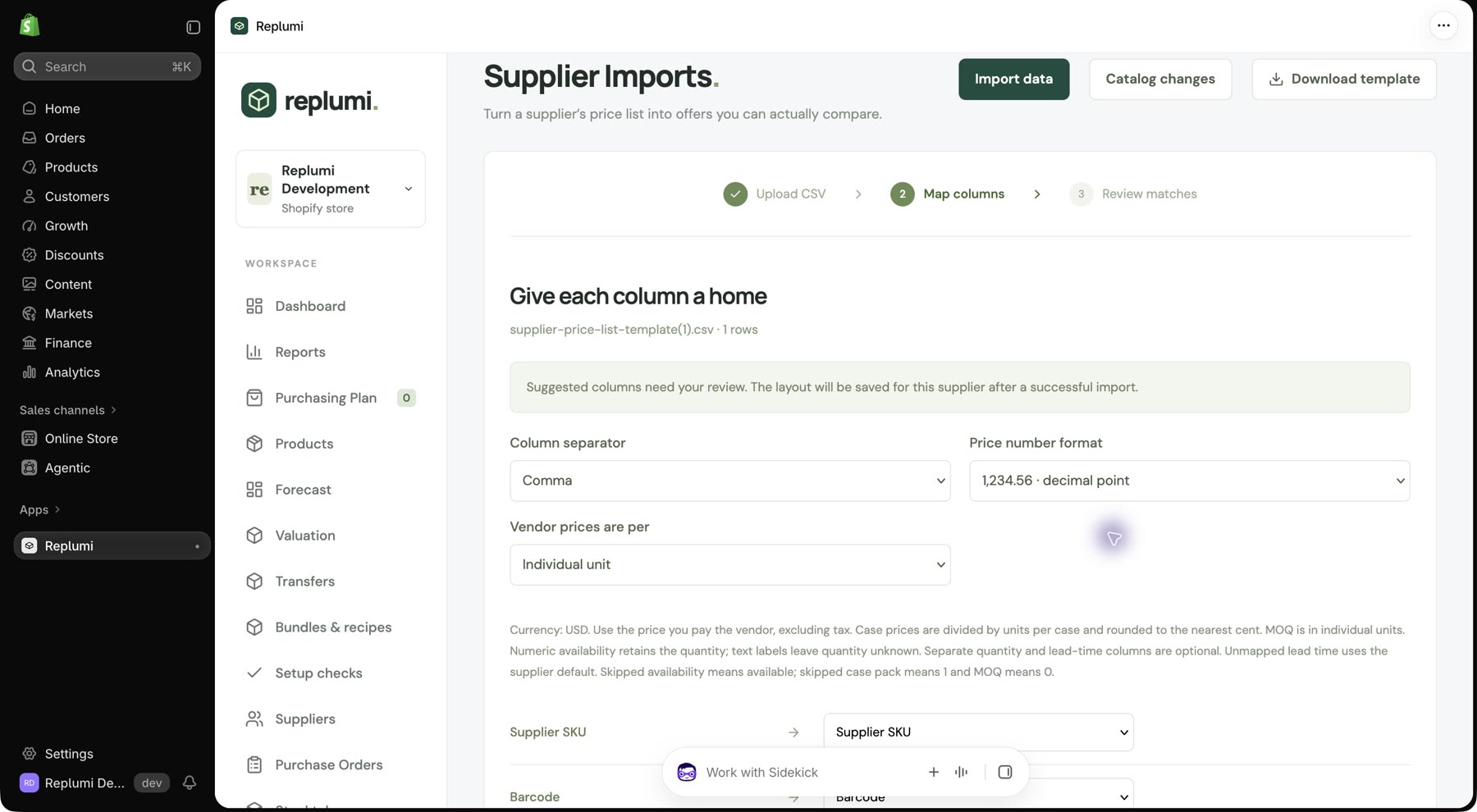
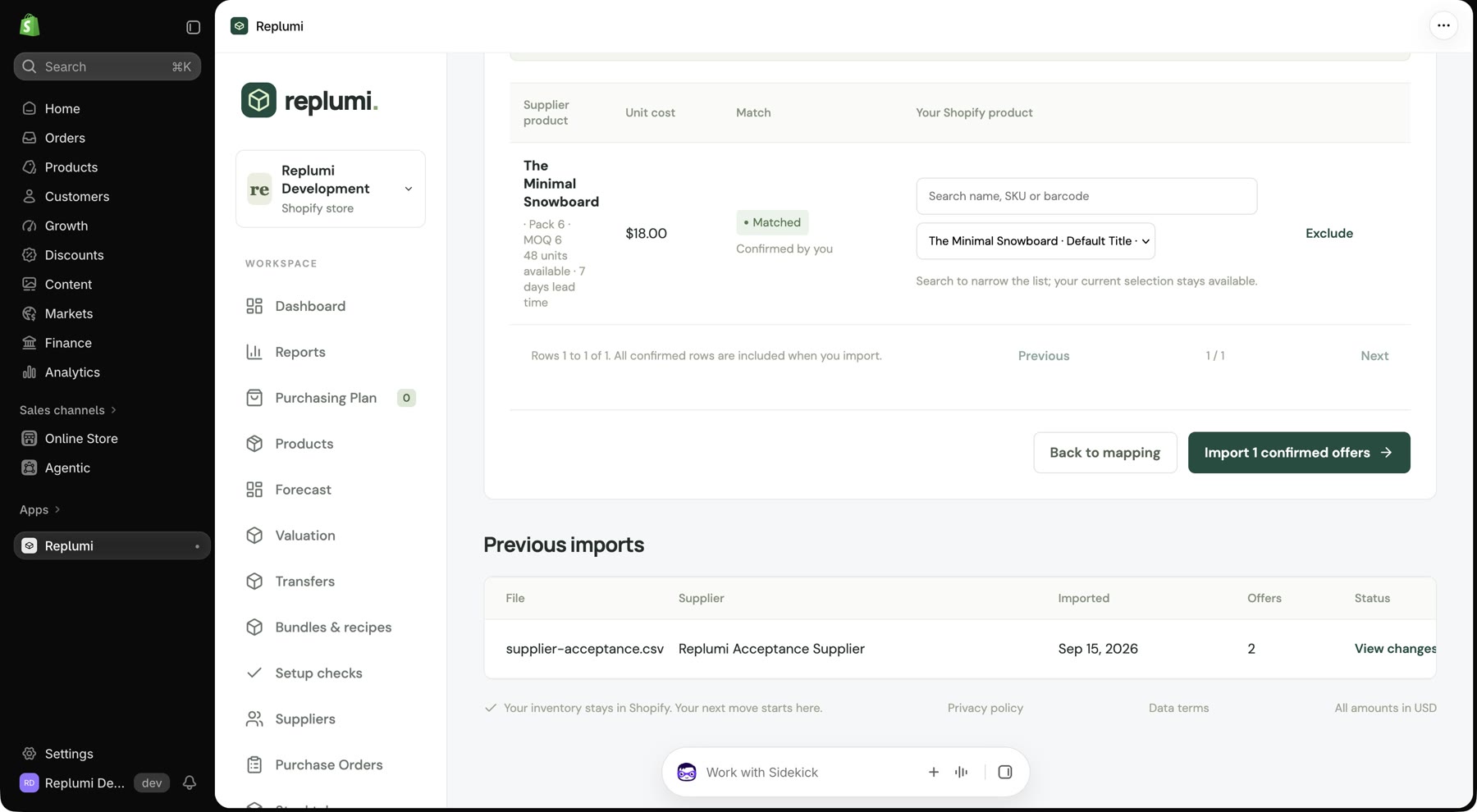
- Review the suggested columns, select Individual unit for the price basis and click Find product matches. If the product lacks a SKU or barcode, select the intended Shopify variant and click Confirm.
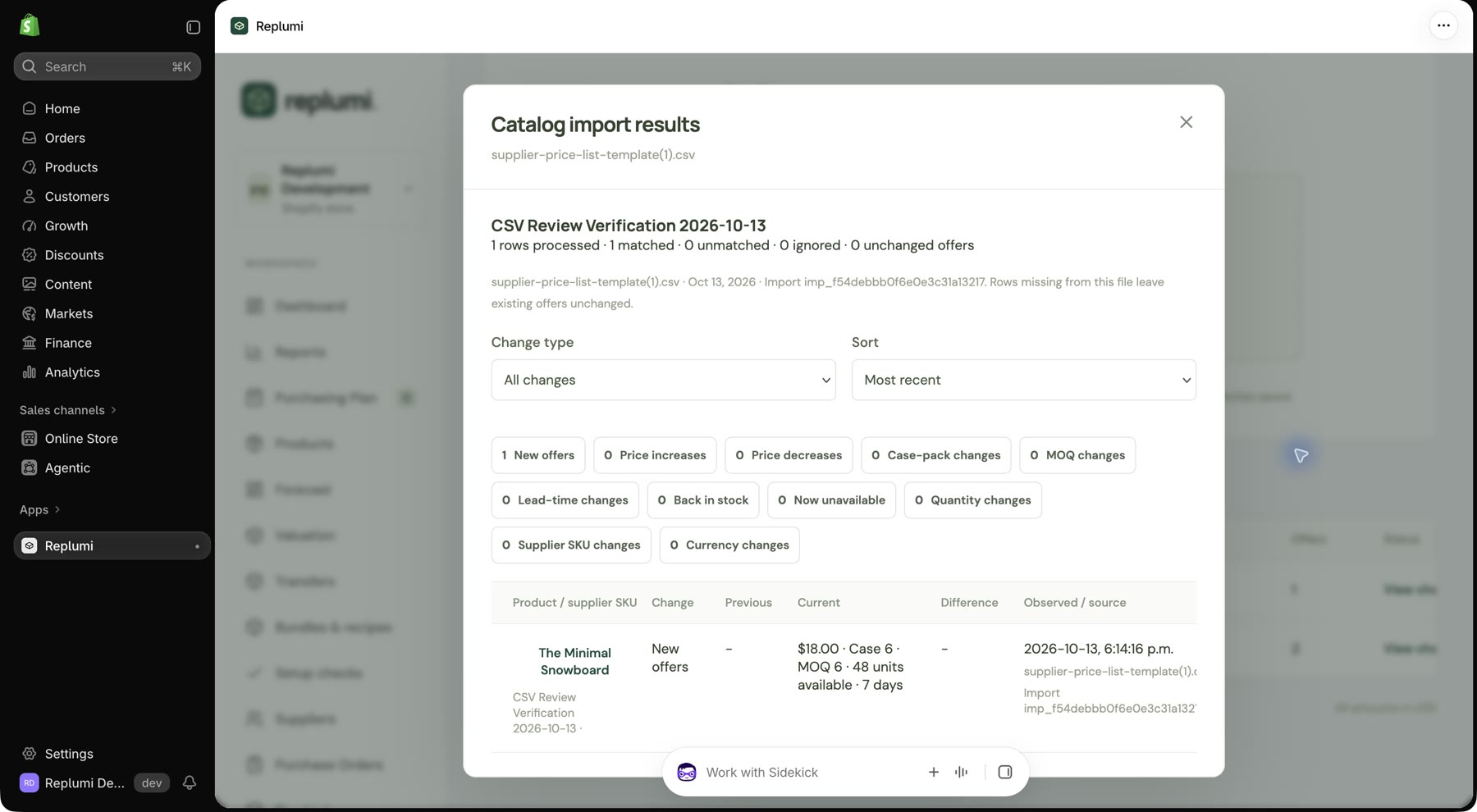
- Import the confirmed offer and inspect Catalog import results. Check that the selected product has the expected supplier offer.
The live template test used The Minimal Snowboard · Default Title, with a unit cost of USD 18.00, 48 available units, case pack 6, MOQ 6 and lead time 7 days. The generated SKU and barcode fields were blank. The product match was selected and confirmed manually, then the catalog report showed 1 row processed, 1 matched, 0 unmatched and 0 ignored.
Use the same file as the walkthrough
- In Imports, select the test supplier and upload the fictional demo price-list CSV.
- Review the column mapping below. Set Vendor prices are per to Individual unit, check the supplier’s currency and click Find product matches.
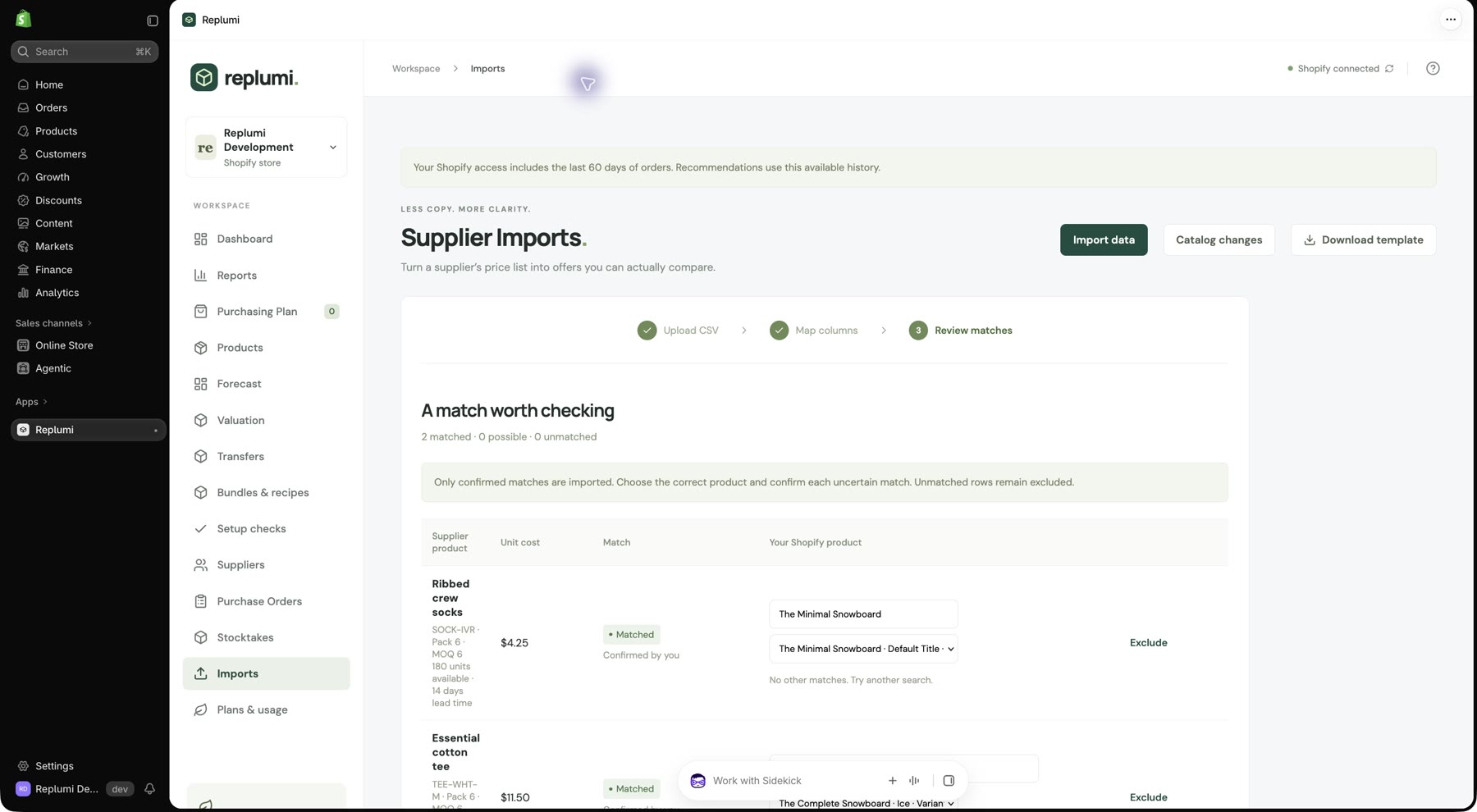
- The sample supplier codes SOCK-IVR and TEE-WHT-M are fictional and may not match your store. For each row, search for and select the intended Shopify variant in Your Shopify product, then click Confirm. Review the unit cost, case pack and MOQ before confirming.
- Click Import 2 confirmed offers after both rows show Matched. Inspect Catalog import results and the selected products’ supplier offers.
Only confirmed matches are imported; unmatched rows stay excluded. Importing supplier offers does not change Shopify inventory or send a purchase order.
| CSV column | Replumi field |
|---|---|
| Vendor code | Supplier SKU |
| Item description | Product name |
| Wholesale each | Cost |
| Units per case | Case pack |
| Minimum quantity | MOQ |
| Transit days | Lead time (days) |
| Units available | Available quantity |
Observed supplier offers
The tests used the fictional supplier CSV Review Verification 2026-10-13. The published sample’s fictional product codes were manually assigned to test-store snowboard variants to demonstrate import matching.
| File / supplier code | Confirmed Shopify variant | Unit cost | Supplier quantity | Lead time |
|---|---|---|---|---|
| Generated template / blank code | The Minimal Snowboard · Default Title | $18.00 | 48 | 7 days |
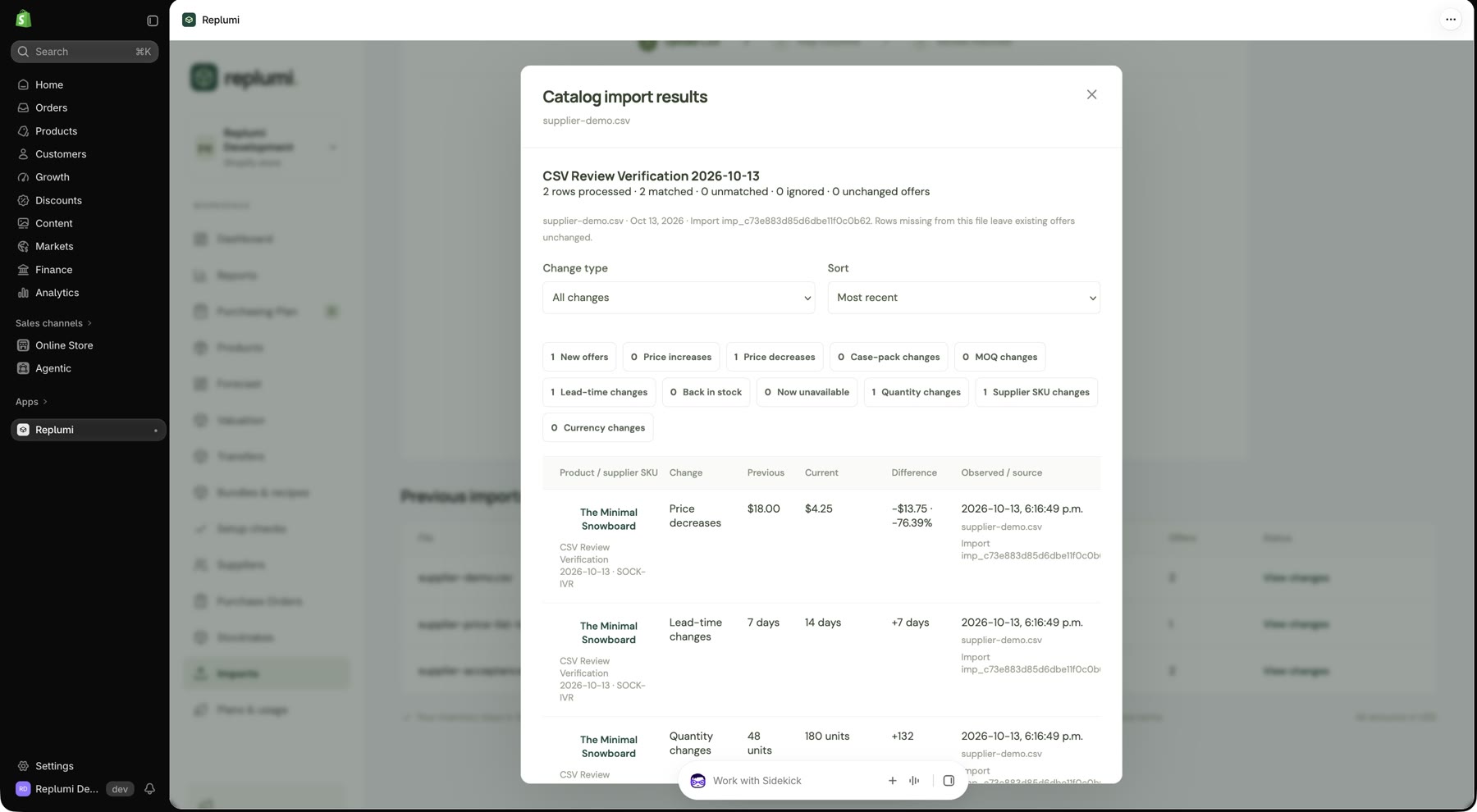
| supplier-demo.csv / SOCK-IVR | The Minimal Snowboard · Default Title | $4.25 | 180 | 14 days |
| supplier-demo.csv / TEE-WHT-M | The Complete Snowboard · Ice | $11.50 | 240 | 14 days |
Every row used case pack 6 and MOQ 6. The second import updated the Minimal Snowboard’s test-supplier offer and added the Ice variant’s offer. Its report showed 2 rows processed, 2 matched, 0 unmatched and 0 ignored, including one price decrease from $18.00 to $4.25.
Independent data checks confirmed the saved imports and offer values. The test products’ Shopify available quantities stayed at 50 and 10, with zero incoming units, matching the pre-test baseline. The import tests created no purchase orders.
Live test evidence
The captures below come from the actual embedded Shopify tests. Only browser tabs, the address bar and bookmarks were cropped away; the app and test-store context remain. Click a capture to view it at full size.